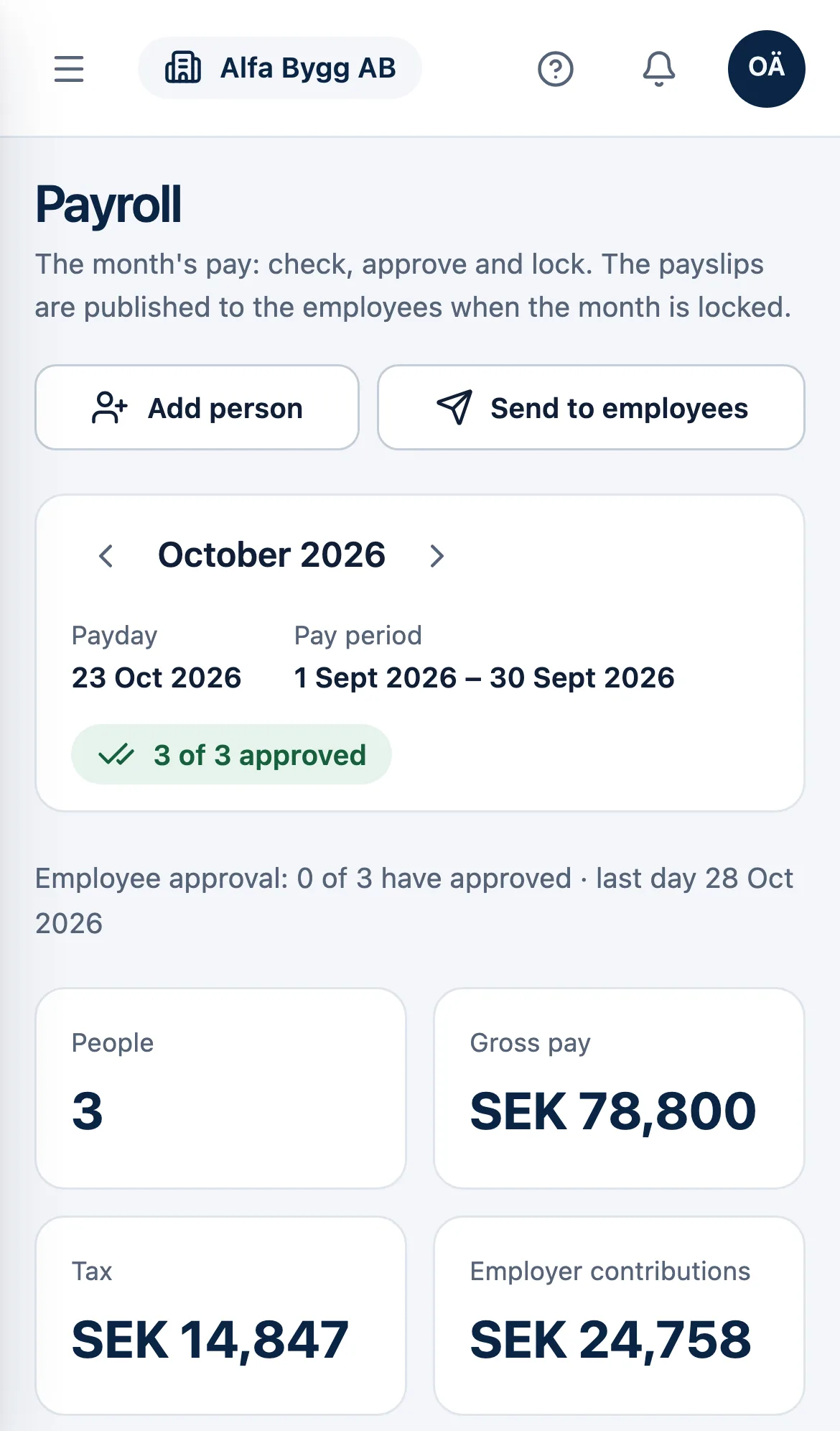
The month's payroll, from salary list to bank file
LöneFai reads the salary list from Excel, PDF or a photo, works out pay, tax and contributions, lets the employees approve their payslips with BankID and produces the bookkeeping, the bank file and the employer declaration.
The firm, the company and the employees in one service
Each sees what belongs to them: the accounting firm all its clients, the company its payroll and the employee their own payslips.
All your clients' payroll in one flow
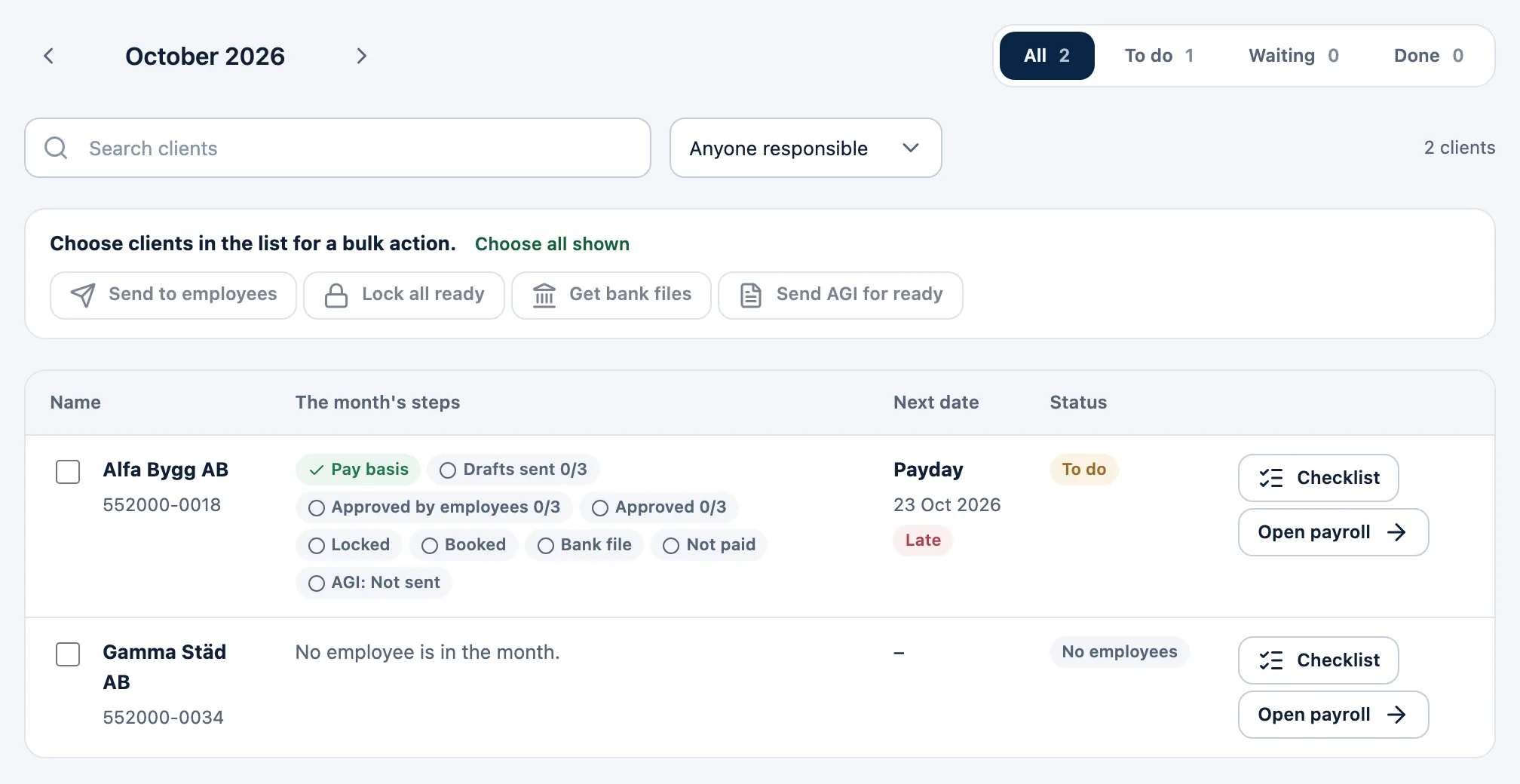
The firm runs payroll for its client companies with the same steps for all, and the overview shows where each client stands in the month.
All clients: each client's steps for the month and the next date that applies
Bulk actions for several clients at once, each client following its own rules
A checklist, a responsible consultant and reminders when a step runs late
The client's own users can work in their company alongside the firm
Run payroll yourselves – or with your firm
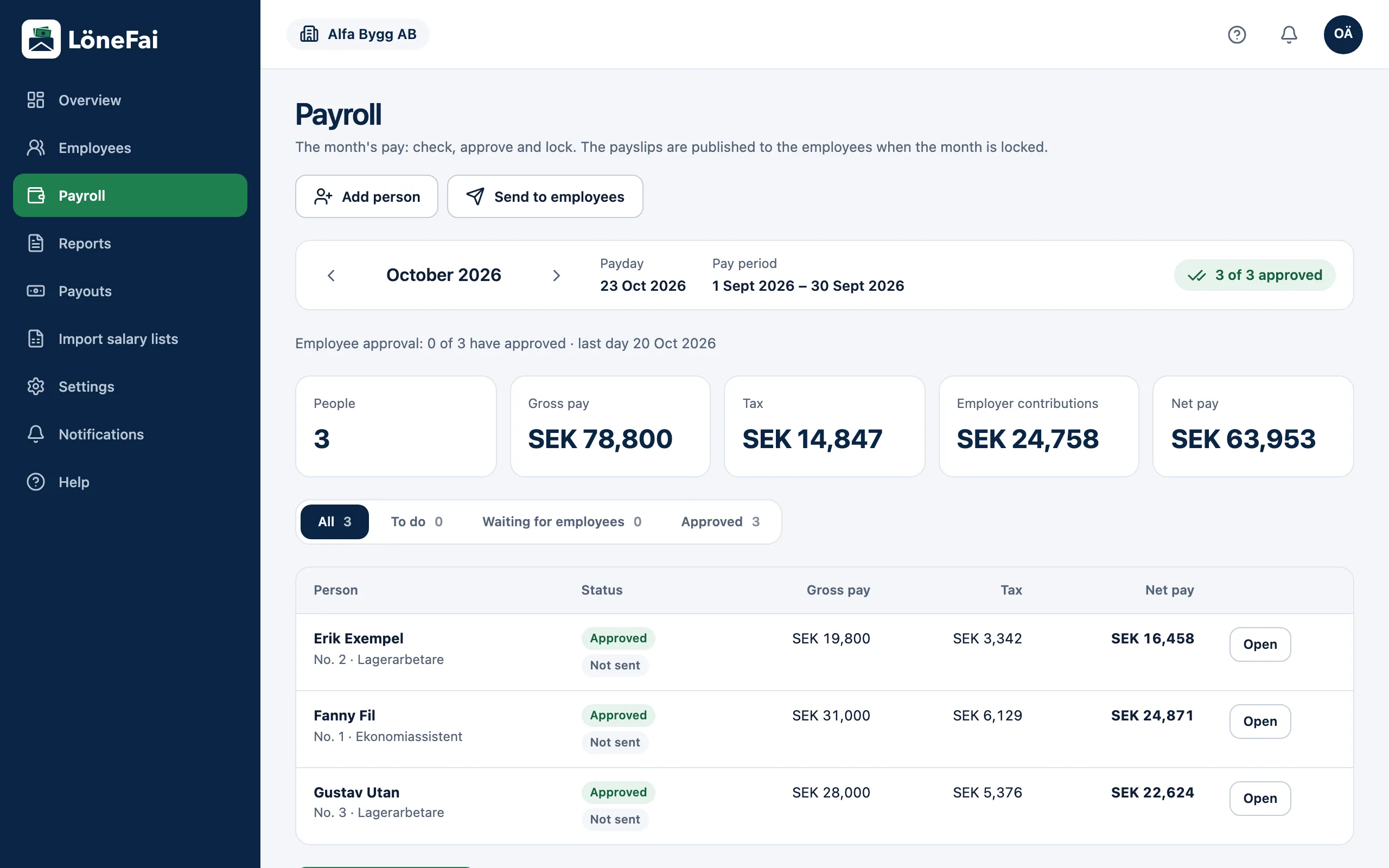
Add the employees once. Each month you check the payroll, lock the month and pay out.
Tax by the Swedish Tax Agency's tables, employer contributions, sick pay and vacation worked out
Users with rights for employees, payroll, payouts and settings
Bookkeeping, bank file and employer declaration from the same locked month
Correct a locked month afterwards, with new versions of the payslips
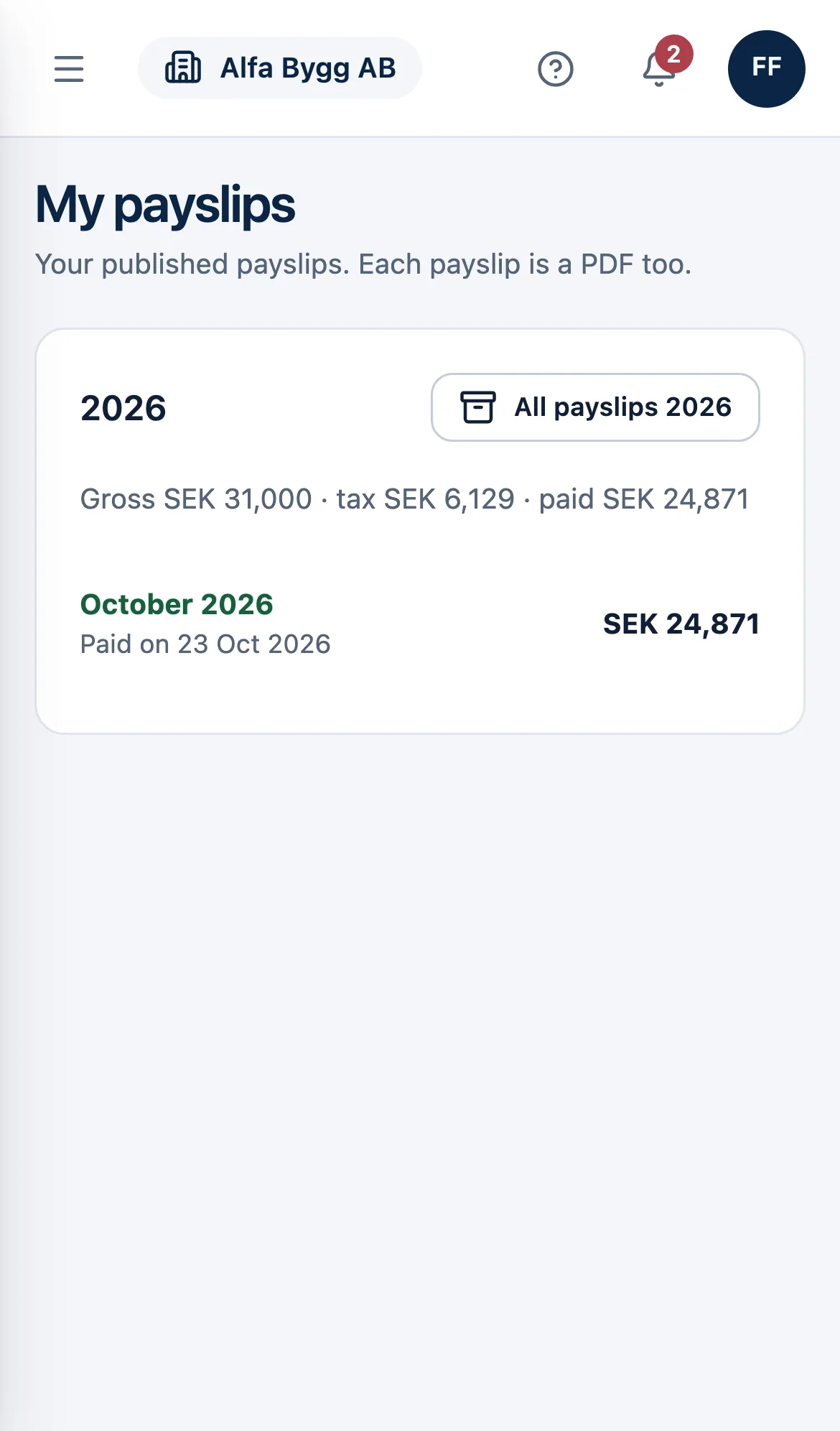
Your payslip wherever you are
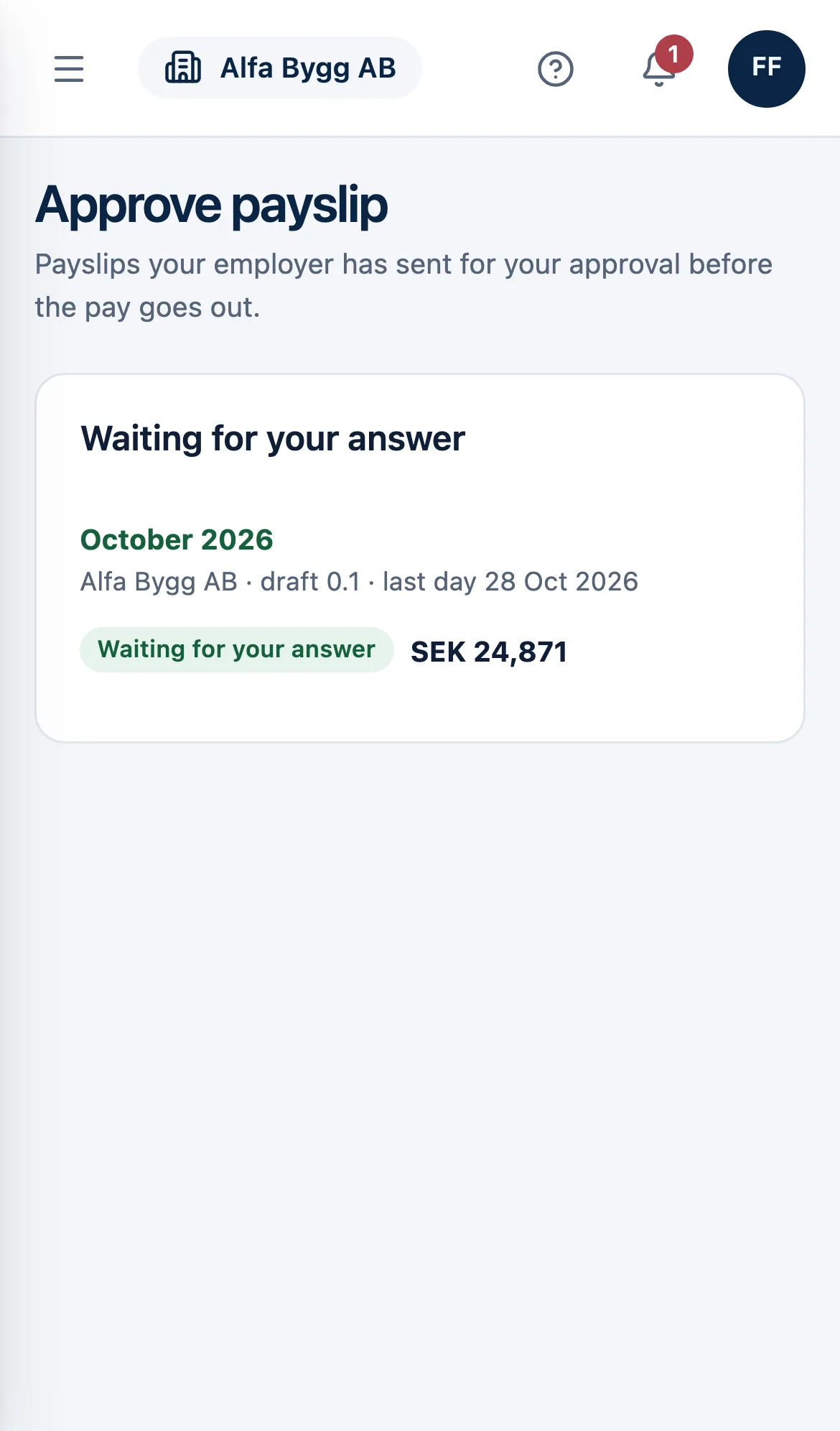
The employee is invited by the employer and sees their payslips on the web and on their phone.
Approve the payslip with BankID, or ask a question if something is wrong
Every payslip as a PDF, and the year's in one zip file
Add your bank account and change your address yourself
Documents your employer shares with you
How it works
Six steps every month
The same order every month, for a company or for each of the firm's clients.
01
Set up the company
Payday, bank and bookkeeping under Settings, and the employees with pay, tax and bank account – one by one or from a file.
02
Bring in the salary list
Import the month's salary list, or enter hours, absence and additions straight in the payslip.
03
Check the payroll
LöneFai works out pay, tax, contributions and vacation. You check and approve each payslip.
04
Let the employees approve
The drafts go to the employees, who approve with BankID before the last day.
05
Lock and book
The payslips are published to the employees. Book the month in Fortnox or download the SIE file.
06
Pay and declare
Upload the bank file to the bank and send the employer declaration to the Swedish Tax Agency.
Features
What the month's payroll needs
From the salary list to the Swedish Tax Agency, every step in the same service.
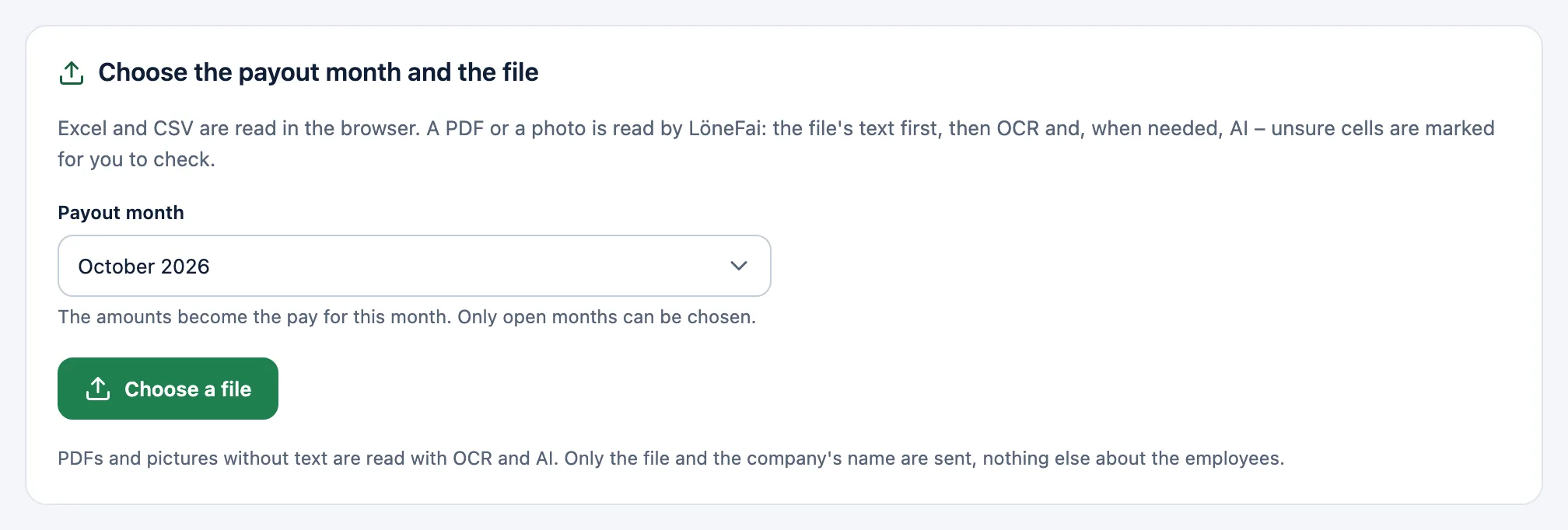
Import the salary list from Excel or PDF
Upload the list you receive every month: Excel, CSV, PDF or a photo. The columns are recognised by their headings and uncertain values are marked.
Excel and CSV are read right in the browser
PDFs and pictures are read with text extraction, OCR and AI when needed
You review every row before anything is saved
New employees are added and the month's pay is set in the same step
The employees approve with BankID
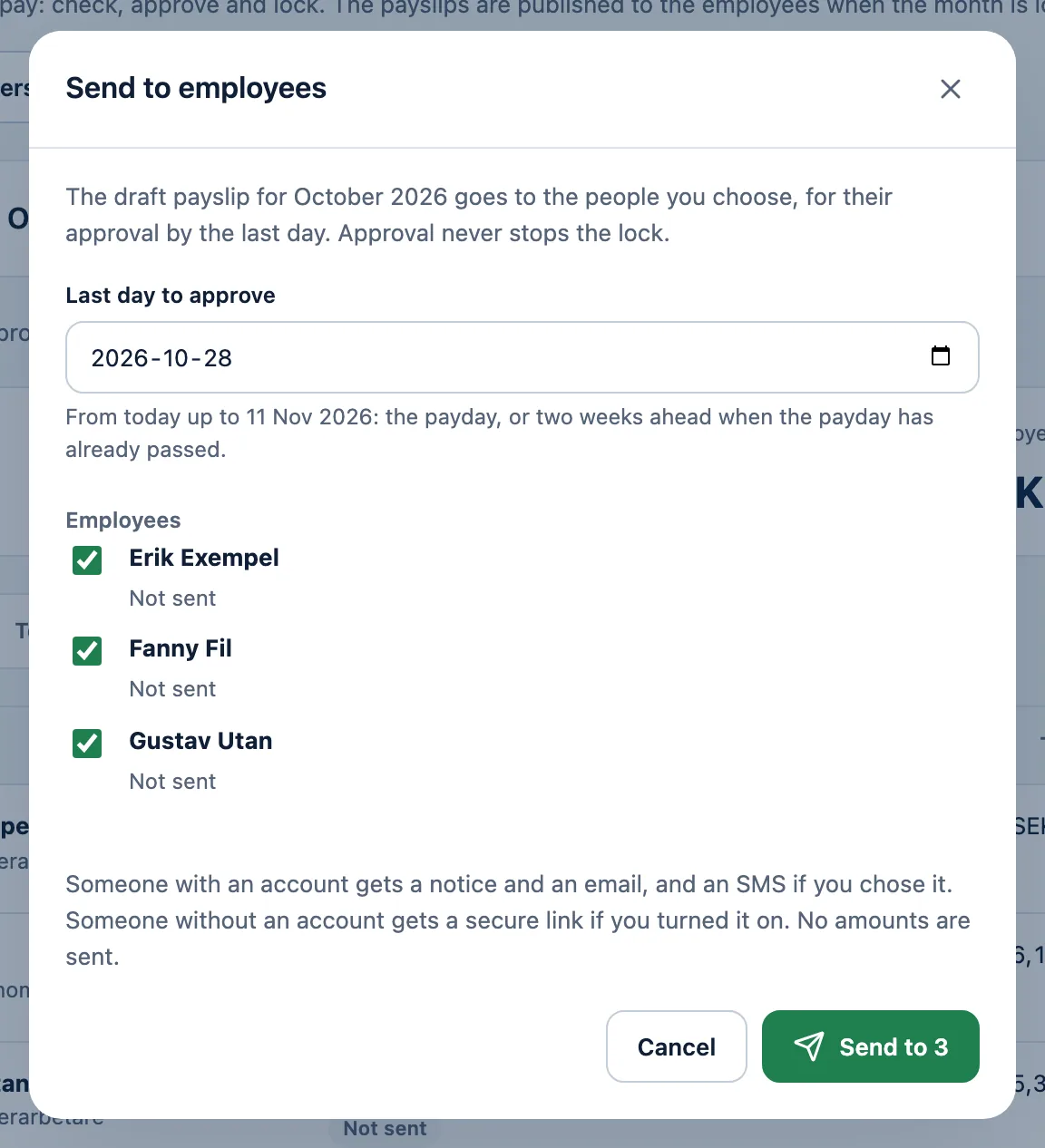
Send the drafts with a last day. The employee reads their payslip and approves it with BankID, asks a question or rejects it.
Approval with a code by email, if the company allows it
A reminder two days before the last day
Each person's answer shows in Payroll
Approval is optional and never stops the lock
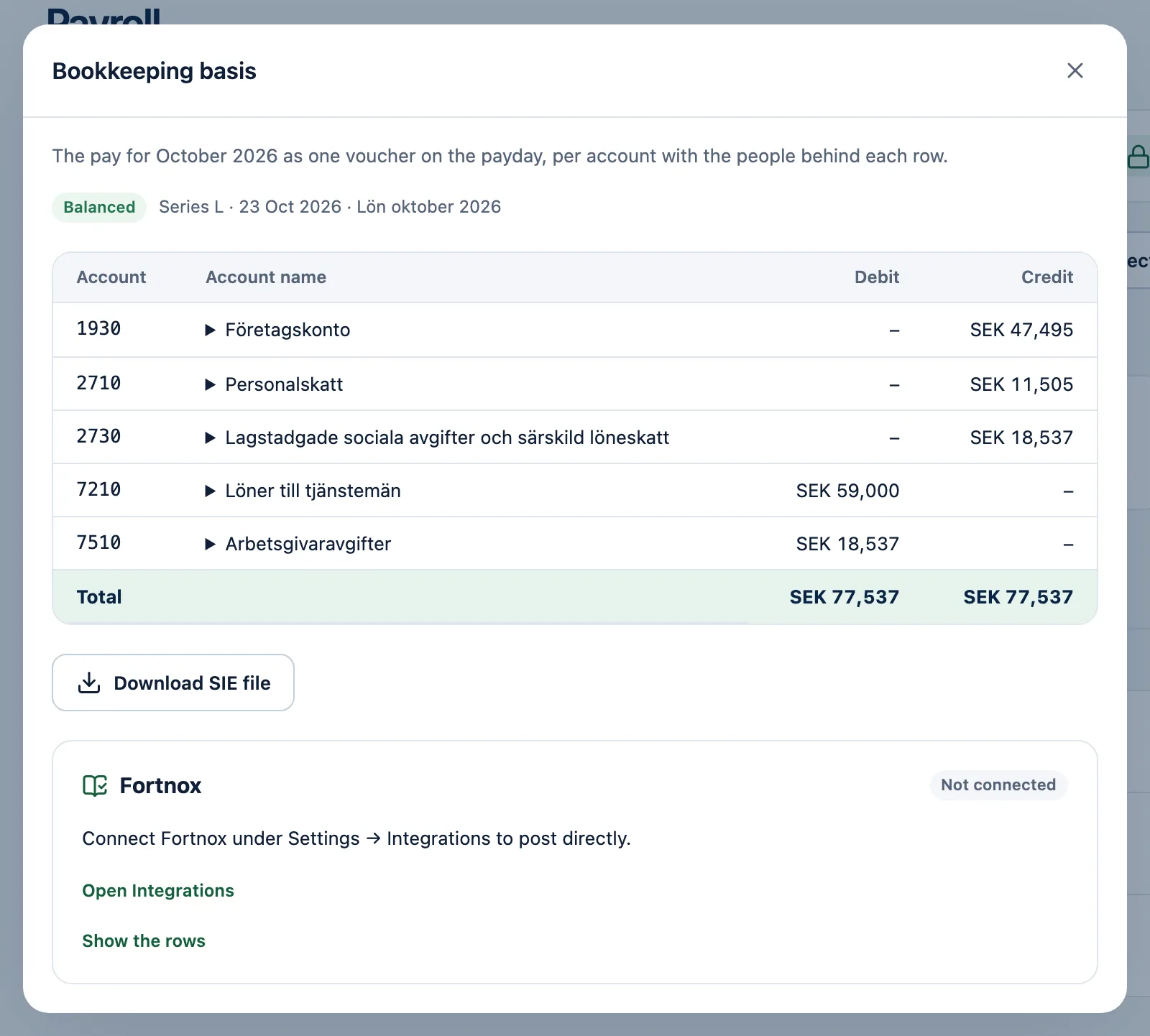
Book in Fortnox or with an SIE file
Once the month is locked, the bookkeeping basis is ready per account and cost centre, with BAS accounts you can change.
The voucher straight to Fortnox, or by itself when the month is locked
An SIE 4 file for other bookkeeping programs
A corrected month is sent as a correction
The basis shows the people behind each row
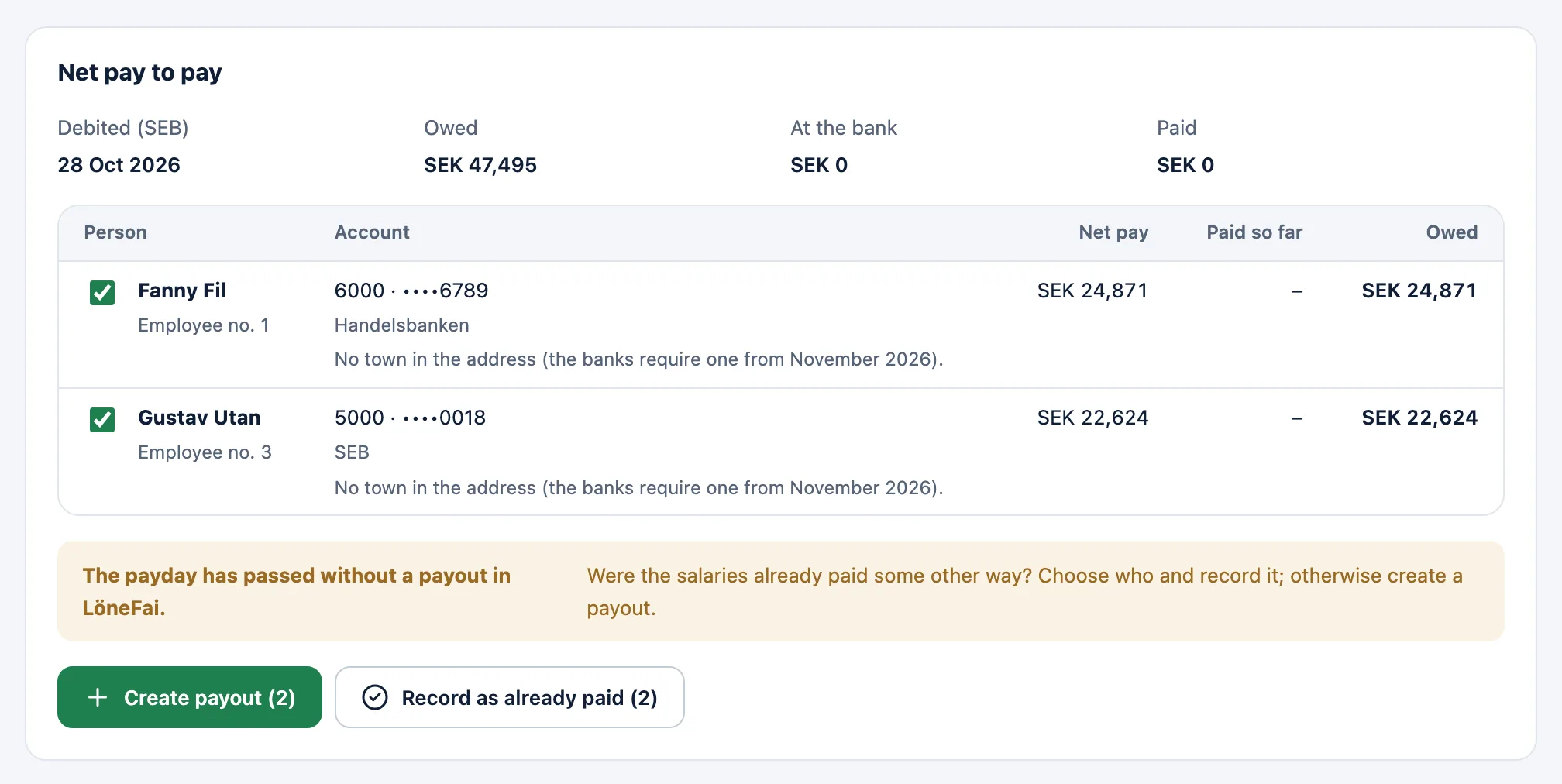
A bank file for the bank
LöneFai makes the payment file for the net pay and for the tax to the Swedish Tax Agency. You upload it to your internet bank and sign there.
ISO 20022 for Swedbank, SEB, Nordea, Handelsbanken and Danske Bank, and Bankgirot Löner for Svea Bank
Send the file by a secure link to whoever signs – never as an attachment
Read in the bank's return report and the payments are marked
Salary advances in an open month
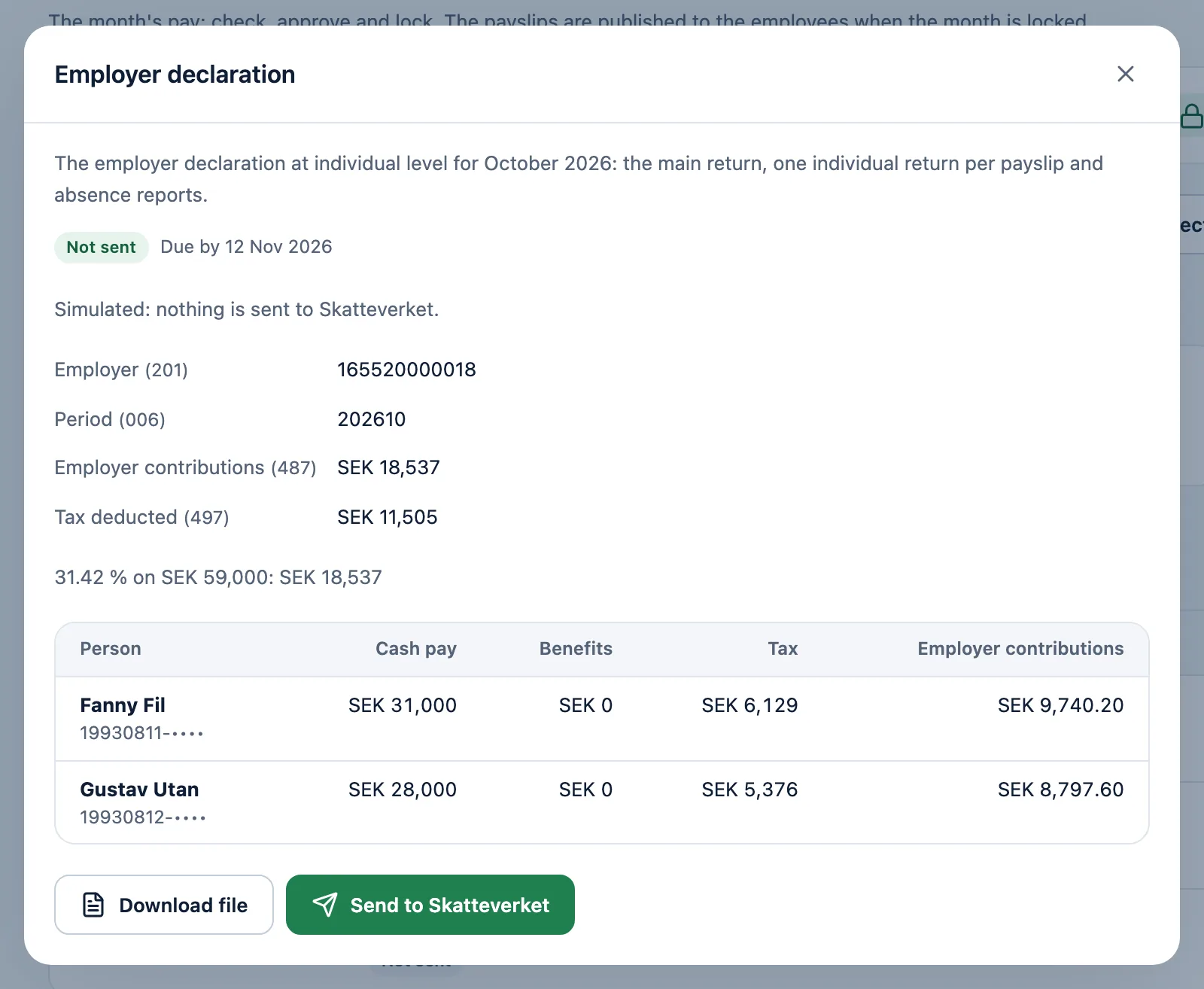
The employer declaration to the Swedish Tax Agency
The declaration at individual level is made from the locked month, with absence details and the last day for filing.
A file in the Swedish Tax Agency's format
Filing with the Swedish Tax Agency once its API is enabled for you
The control result and the link to review and sign at the Swedish Tax Agency
Removals when a person is taken out after a correction
All the firm's clients in one view
See where each client stands in the month: salary list, drafts, approvals, lock, bookkeeping, bank file and employer declaration – and the next date that applies.
Bulk actions: send to employees, lock all that are ready, get bank files and send the declarations
A checklist of who did what and when
Reminders to the responsible consultant and the client when a step runs late
Reports across all clients and an archive per company
On your phone
The payslip in your pocket
The employees read and approve their payslips on their phones, and whoever runs payroll sees the month anywhere.
For the employees
Approve the payslip with BankID on the same phone
Every payslip as a PDF
A notice when the payslip is published
For whoever runs payroll
The month's payroll, approvals and answers
The salary list as a photo straight from the phone
The help and support on the phone too
An app for iPhone and Android is on its way. Until it is in the App Store and on Google Play, LöneFai works in the phone's browser.
Pricing
Prices that follow your size
A price per payslip for a company, or the firm price by the number of client companies. Every feature is included in both.
For companies
Per payslip
fromSEK 572a month
up to 5 payslips a month
The price follows the number of payslips in the month. A month without payslips costs SEK 572, unless you have paused it.
All prices are in Swedish kronor a month, excluding VAT. The invoice comes monthly in arrears, payable within 30 days. The customer agreement is signed with BankID.
Support
Help when you need it
The help is beside the page you are working on, and support is reached straight from LöneFai.
The help center
Guides for every part of LöneFai, in Swedish and English. Show me points out the button the guide talks about, right on the page.
Ask
Write to support in LöneFai, with a screenshot if you like. The answer comes in LöneFai and by email.
Call support
Call and share your screen when someone in support is online, and we show you where to click. The call is not recorded.
Support answers on weekdays 09–17 (Swedish time). Email support: support@tizfai.com
FAQ
What people usually ask
Do the employees need BankID?
No. The employees approve with BankID, or with a code by email if the company allows it. Approval can be turned off and never stops the month from being locked.
Which salary lists can we bring in?
Excel, CSV, PDF and photos. Excel and CSV are read in the browser; PDFs and pictures are read by LöneFai with text extraction, OCR and AI when needed. You review the rows before anything is saved.
Does LöneFai work with Fortnox?
Yes. Connect Fortnox under Settings → Integrations and book the month with one button, or by itself when the month is locked. With the SIE file, other bookkeeping programs work too.
How are salaries paid out?
LöneFai makes the bank file for your bank. You upload it to your internet bank and sign there, or send it by a secure link to whoever signs. LöneFai never moves any money itself.
Does LöneFai send the employer declaration?
LöneFai makes the declaration from the locked month. You download the file and file it with the Swedish Tax Agency, or send it directly once the agency's API is enabled for you. Signing happens at the Swedish Tax Agency.
Can the firm and the client work in the same company?
Yes. The firm works in its clients' companies, and the client's owner and users can sign in to their own company. The employees see only their own pages.
Where is the data stored?
On our servers in the EU. Personal identity numbers, bank accounts, payslips and files are stored encrypted. Read more in the privacy policy.
What does LöneFai cost?
Per payslip from SEK 572 a month for a company, or the firm price from SEK 2,990 a month for an accounting firm. All prices exclude VAT.
Demo
See LöneFai with your own month
We show how your month looks in LöneFai, from the salary list to the bank file.
A walk-through of your month, in Swedish or English